
Faceless Reels - AutoAIReel
AutoAIReels - Create Faceless VideosVideo Players & Editors
4.554.00 Reviews
- Version
- 2.1.39
- Installs
- 10.00K
- Age Rating
- Teen
Screenshots
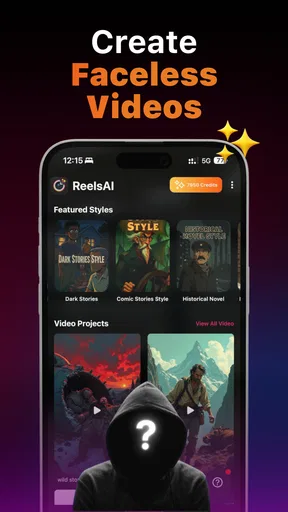
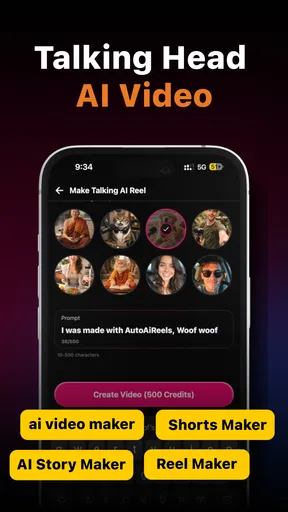
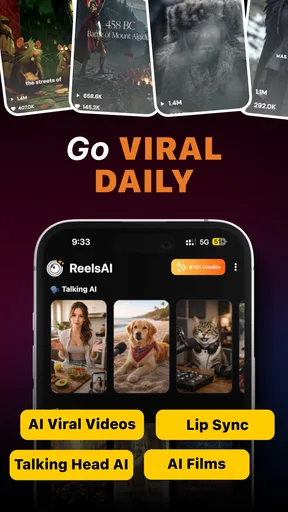
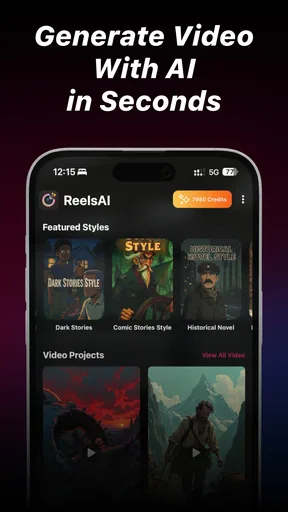
Our Review of Faceless Reels - AutoAIReel
 Analysis by Appyee
I spent time with Faceless Reels - AutoAIReel as an AI-focused video editor for short, vertical content, and my first impression was clear: this is aimed at people who want to publish without appearing on camera. Its role sits between a quick video maker and a lightweight storytelling assistant, rather than a full replacement for a traditional editor. That distinction matters because the app is most useful when the idea, script, and visual direction are already reasonably clear.
The app is free to install, with optional purchases ranging from $2.99 to $99.99 per item. It is listed for Teen users and runs on Android 8.0 or later. The developer is AutoAIReels - Create Faceless Videos, and the current version is 2.1.39. Its store summary describes an AI Shorts Story Video Maker, while the shorter description focuses on Faceless Reels. In practical terms, I would place it in the video players and editors category, but with a much narrower purpose than a general timeline editor.
How the workflow feels when making a short video
The central appeal is the faceless format. Instead of building a clip around a talking head, I approached each project as a compact visual story: a subject, a short sequence of ideas, supporting imagery, and a final vertical presentation. That makes the app a natural fit for narration-led posts, educational snippets, motivational content, simple explainers, and themed social videos where the creator’s presence is less important than the message.
I found the quickest results came from starting with a tightly defined idea. “A short video about productivity” is too broad to guide a useful result, while “three ways to stop checking your phone during a study session” gives the project a clearer shape. This is one of the less obvious lessons with an AI video tool: the quality of the first draft depends heavily on how narrowly the subject is framed. The app can help turn an idea into a reel, but it does not remove the need for editorial judgment.
For a realistic everyday use case, imagine a small business owner who has a spare half hour before opening. They may not have time to record themselves, set up lighting, or edit a long sequence. A faceless workflow lets them prepare a short tip about caring for a product, introduce a common customer question, or explain one service. They can review the result, correct awkward wording, and keep the final clip focused instead of trying to produce a polished studio video.
That speed is the main reason I would recommend trying it. A conventional mobile editor gives you more direct control, but you must supply nearly everything yourself: the structure, the pacing, the text, and often the visual plan. Here, the app’s value is in reducing the blank-page problem. It gives a creator somewhere to begin, which is often more important than having dozens of advanced controls.
What affects perceived speed
My sense of speed with an AI editor is different from the speed of a basic trimming app. A simple editor can cut a clip immediately because it is mostly manipulating existing media. An AI storytelling workflow has more to organize, so the first draft naturally feels more involved. The useful question is not whether every action is instant, but whether the app gets me from an idea to a reviewable draft without unnecessary friction.
Shorter concepts are the best way to keep that process moving. I would prepare the wording first, decide the approximate number of ideas, and avoid asking one project to cover several unrelated subjects. This also makes revisions easier. If the result feels slow or unfocused, the problem may be the scope of the brief rather than the device or the editor itself.
I also recommend treating the first generated version as an outline, not a finished post. Reading the script aloud is a practical check: awkward transitions, repeated points, and claims that sound too absolute become obvious when spoken. This step takes little time and prevents the common mistake of publishing an AI-assisted draft simply because it arrived quickly.
Where heavier use can become demanding
Creating one short reel is a very different workload from preparing a batch of them. Heavy use means repeated generation, frequent previews, several revisions, and a growing collection of media. On a phone, that kind of session can feel more demanding than casual trimming, especially when the project combines multiple visual elements and text layers. I would avoid judging the app after only one tiny test; its real workload appears when you try to make several variations of the same concept.
A sensible batch workflow is to separate planning from production. I would write several concise topics first, then create each project with a consistent tone and audience in mind. After that, I would review the drafts together and look for repeated phrasing. This is more efficient than endlessly polishing the first video while leaving the rest of the queue unfinished.
There is also a resource trade-off in AI-assisted creation. A phone must handle the editor interface, preview the composition, and manage the project’s media. I would expect a newer device to feel more comfortable during extended sessions, while an older supported phone may be better suited to one project at a time. The minimum operating-system requirement is Android 8.0, but compatibility alone does not tell you how pleasant a long editing session will feel.
For that reason, I would keep other demanding apps closed when working on a batch, save finished exports promptly, and avoid maintaining unnecessary duplicate drafts. These are ordinary mobile-editing habits, but they matter more when a project includes generated material and several rounds of adjustment. The goal is to reduce clutter before it becomes a performance problem.
Stability, mistakes, and recovering a project
Reliability is not only about whether an app opens. For me, it also means being able to recover from a weak draft, revise a single section without rebuilding the entire idea, and understand what needs fixing. Faceless Reels works best when I keep the creative process modular. A short hook, one central point, and a clear closing thought are easier to repair than a crowded script that tries to do everything.
If a generated result misses the tone, I would not immediately discard the whole project. First, I would shorten the brief, remove vague adjectives, and specify the intended audience. If the pacing feels wrong, I would reduce the number of ideas rather than adding more text. If the visuals do not support the message, I would rewrite the narration around what the viewer should actually see. These recovery steps are more useful than repeatedly pressing generate without changing the instruction.
Another practical safeguard is keeping a plain-text copy of important scripts outside the project. That gives you a simple recovery path if you decide to start over or want to test a different presentation. It also makes the app easier to compare with other editors, because your creative material is not locked into one workflow.
I would still review every line before publishing. AI-assisted video tools can make a sentence sound confident even when it needs clarification, and a faceless format gives the viewer no presenter to correct the impression in real time. For health, finance, safety, or news-related subjects, human checking is especially important. The app can help package information, but responsibility for the message remains with the creator.
Device limits and who should use it
The Android 8.0 requirement makes the app accessible to a broad range of devices, but I would not confuse broad compatibility with identical performance. Older phones may have less comfortable multitasking, slower media handling, or less room for a large working library. If your device is modest, the best approach is to keep projects concise, avoid unnecessary background activity, and export or archive completed work instead of allowing many unfinished versions to accumulate.
Storage planning is important for anyone producing regularly. Short videos still create temporary files, previews, and final exports. I would leave free space before beginning a batch and remove failed experiments once I know they are no longer useful. This is particularly helpful when testing several versions of one script, because rejected drafts can quietly become the largest part of the workload.
The app is a good match for a creator who dislikes appearing on camera, a small business that needs simple educational posts, or a beginner who wants help turning an idea into a vertical video. It may also suit someone running a themed account where consistency matters more than elaborate cinematic editing. The faceless approach can make production less intimidating and easier to repeat.
I would skip it if your priority is detailed manual control over every frame, sophisticated color work, complex audio mixing, or precise multi-track editing. A conventional editor is usually better when you already have your footage and want to control cuts, keyframes, transitions, and sound with complete accuracy. Likewise, if your content depends on a personal on-camera relationship with viewers, removing the presenter may weaken the very quality that makes the channel appealing.
How it compares with familiar alternatives
Compared with a standard mobile editor, this app is more idea-led. Traditional editors are excellent when the raw material already exists: recorded clips, a chosen soundtrack, and a clear sequence. They offer direct manipulation and predictable results, but they do not necessarily help when you are staring at an empty timeline. Faceless Reels addresses that starting point more directly.
Compared with a simple template-based reel maker, its identity is more closely tied to storytelling without a visible host. Templates can be faster when you want a known visual pattern, but they may encourage every post to look alike. I prefer the AI-assisted route when the subject changes from one video to the next and I need help shaping a fresh explanation. I prefer templates when speed and repetition matter more than originality.
There is a cost consideration as well. The app is free to begin with, which lowers the barrier to testing the workflow, but optional purchases can range from $2.99 to $99.99 per item. I would use the free experience to answer practical questions before spending: Does the writing style suit my audience? Can I edit the draft into my own voice? Does the workflow save me enough time compared with my current editor? Those answers matter more than the presence of AI in the feature list.
The app’s average rating is 4.5 from around 6.9 thousand ratings, and it has over 10 thousand installs. Those figures suggest that the concept has attracted meaningful interest, but they should not replace a personal trial. Video preferences are subjective, and a creator who wants precise manual editing may reach a different conclusion from someone who mainly needs help producing faceless stories.
Small workflow choices that improve the result
My strongest tip is to write for the ear, not the page. Faceless videos often depend on narration or on-screen text, so long sentences become tiring quickly. I would use one idea per sentence, put the most useful point near the beginning, and avoid introductions that spend too long explaining what the video will discuss.
A second useful habit is designing the ending before the middle. Decide whether the viewer should remember a tip, compare two choices, or take one simple action. Then build the earlier sections toward that outcome. This prevents the familiar problem of a video that starts with a promising topic but ends without a clear reason to keep watching or return later.
Third, I would create a repeatable visual identity outside the individual script. Use a consistent tone, a recognizable opening style, and similar expectations for length and subject. Even if the app helps generate each video separately, the account should still feel intentional. Consistency is not the same as making every reel identical; it means viewers know what kind of value they are about to receive.
Finally, I would check captions and visual timing with the sound muted. Many people encounter short videos in situations where audio is unavailable or inconvenient. A faceless reel that only works when narrated can lose clarity if the text is too sparse, too fast, or poorly aligned with the images. This silent review is a simple quality-control step that generic AI workflows often overlook.
My overall performance verdict
After weighing the speed expectations, heavier workloads, device constraints, and recovery process, I see Faceless Reels as a focused starting tool rather than an all-purpose production suite. Its strongest contribution is reducing the effort needed to move from a blank idea to a structured short video. That is valuable for beginners and busy creators, especially when appearing on camera is not an option.
Its limitations are tied to the same design choice. The more control you want over every visual and audio decision, the more likely you are to prefer a conventional editor. AI assistance can accelerate the first draft, but it does not replace fact-checking, rewriting, pacing decisions, or a final human review. On an older phone, I would also keep expectations realistic during long batches and work in smaller sessions.
For me, the best way to use it is as a production companion: prepare a focused concept, generate a starting structure, edit it into a natural voice, check the result silently and aloud, then publish only after the message feels accurate. The app is free to try, runs on Android 8.0 or later, and carries a Teen content rating, so it is easy to evaluate without committing immediately. I would recommend it to anyone who wants a practical route into faceless short-form video, while pointing serious manual editors toward a more traditional tool.
My recommendation is conditional but positive: choose it when the hard part is getting a clear faceless story started, not when the hard part is executing highly precise editing. Used with that expectation, it can make regular short-video creation feel more manageable without pretending that automation removes the creator’s responsibility.
Verdict
Strengths of Faceless Reels - AutoAIReel
- Automatically creates short reels without filming yourself.
- Useful for maintaining a regular social media posting schedule.
- AI-generated visuals can match different content themes.
- Simple workflow suits users with little video-editing experience.
- Helps turn written ideas into shareable vertical content quickly.
Limitations of Faceless Reels - AutoAIReel
- AI results may feel generic without careful prompt editing.
- Some features or exports may require a paid subscription.
- Generated narration and visuals can occasionally contain mistakes.
- Limited control may frustrate users seeking detailed manual editing.
- Reels may need extra polishing before looking fully professional.
Similar Picks in This Category
View All
Google TV
Google LLC3.9

iTunes
Apple4.7

YouTube
Google LLC3.8

MX Player
Amazon Mobile LLC4.2

CapCut - Video Editor
Bytedance Pte. Ltd.3.5

PLAYit-All in One Video Player
PLAYIT TECHNOLOGY PTE. LTD.4.5
Frequently Asked Questions
What is Faceless Reels - AutoAIReel and who is it designed for?
Faceless Reels - AutoAIReel is an AI-focused content creation app designed to help users produce short-form videos without appearing on camera. It may be useful for creators, marketers, small businesses, and beginners who want to publish Reels or similar vertical videos using scripts, visuals, captions, voiceovers, and templates. The app is especially convenient for users looking to maintain a consistent posting schedule with less manual editing.
How does Faceless Reels - AutoAIReel create videos?
The app generally streamlines the process by turning an idea, topic, or written prompt into a short video concept. Depending on the selected tools and plan, it can assist with script generation, scene arrangement, stock-style visuals, text overlays, background music, subtitles, and AI voice narration. You should still review every result before publishing, because generated wording, timing, pronunciation, and visual choices may require editing to match your brand or audience.
Is Faceless Reels - AutoAIReel free to download and use?
The application may be available to download without an upfront charge, but some features can require a subscription, credits, or in-app purchases. Premium limitations may apply to export quality, templates, AI generation, voice options, watermark removal, or the number of videos you can create. Before starting a project, check the current pricing, trial conditions, renewal policy, and cancellation instructions shown in the relevant app store.
Can I customize the AI-generated Reels before exporting them?
Customization is an important part of the experience, since automatically generated videos are rarely perfect on the first attempt. You should be able to adjust elements such as the script, scenes, captions, fonts, colors, music, voiceover, and video format, although the exact editing controls may depend on the version and subscription level. Carefully proofread captions and confirm that the final visuals and audio fit your intended platform.
Are videos made with Faceless Reels - AutoAIReel safe to use commercially?
Commercial use depends on the app’s current terms, the license attached to its generated content, and the rights associated with any stock footage, music, images, fonts, or AI voices included in a project. Do not assume that every asset is automatically cleared for advertising or monetized content. Review the licensing information, avoid uploading copyrighted material without permission, and verify that your final Reel complies with Instagram, TikTok, YouTube, or other platform rules.
